
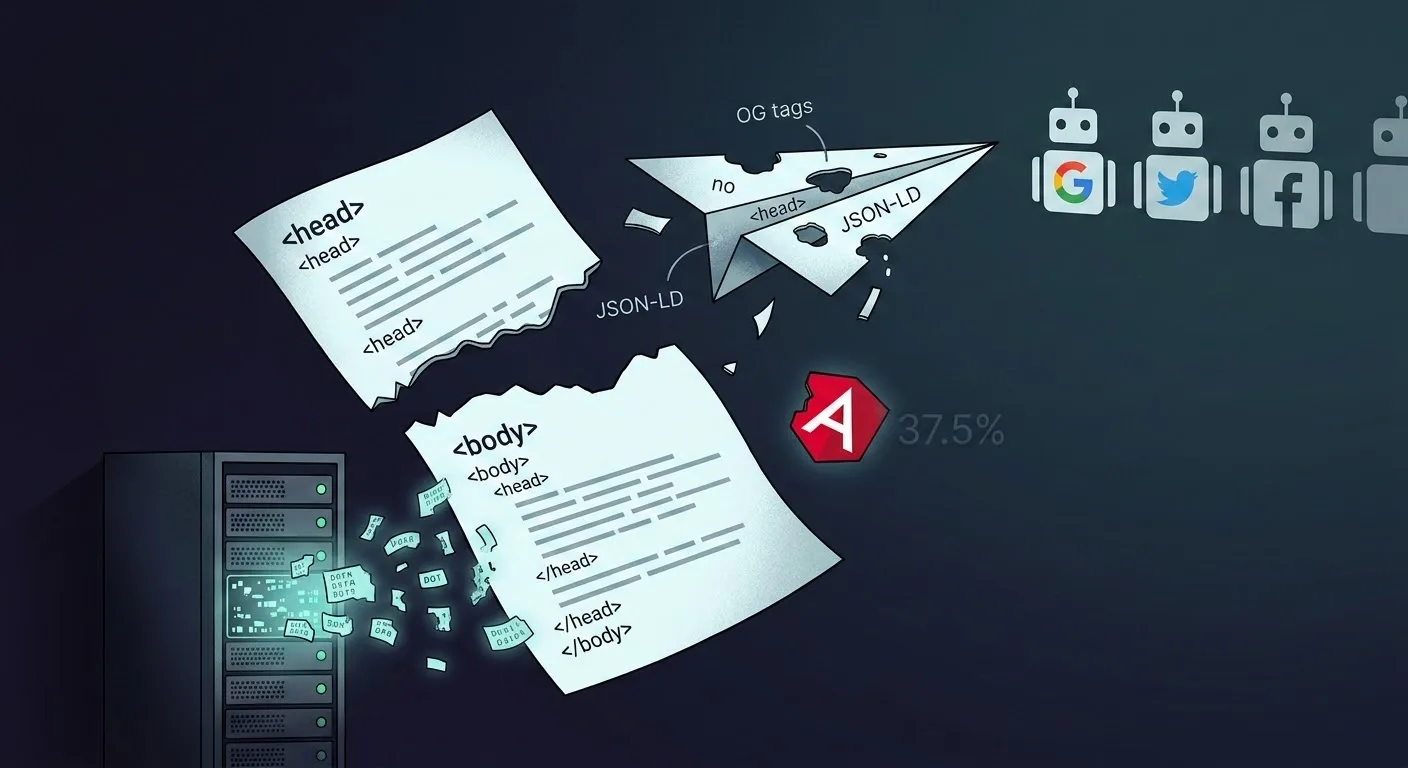
Streaming SSR sends HTML before your data is ready. Good for TTFB, bad for <head> tags.
HTML is linear. You can't send <body>, realize you forgot an Open Graph image, and rewind. The framework has to choose: send <head> now for speed, or wait for data.
Every major framework handles this differently. Some block. Some flush and forget. Some patch the DOM after the fact. And one detects the client and switches strategy.
The Four Strategies
Block - Wait for all data before sending anything. TTFB suffers, <head> is always complete. Most frameworks use this.
First-Flush - Stream the shell immediately. <head> is locked after the first chunk. Late data gets dropped.
Patch - Stream the shell, then inject <script> tags later in the stream to mutate document.head client-side.
Block + Stream - Detect bots via User-Agent and block for them (complete <head>), while streaming for real users (fast TTFB). Best of both worlds.
How Each Framework Handles It
The table below tracks two things. Streams? means the framework can send HTML to the browser incrementally - the body starts arriving before the server finishes rendering. Complete Head means the initial server HTML contains all SEO-critical tags (<title>, <meta name="description">, Open Graph) without needing client-side JavaScript. "With discipline" means it's possible but requires structuring your code to avoid a default pitfall. "With config" means you must enable a framework setting (like bot detection).
| Framework | Streams? | Complete Head? | How It Works |
|---|---|---|---|
Next.js 16 | Yes | With config | Streams for users, blocks for bots via UA detection |
Nuxt 4 | No | Yes | Entire response buffered, head always complete |
Remix | Yes | Yes | Sync meta() blocks head; body streams deferred data |
Astro | Yes | Yes | Frontmatter blocks head; body can stream |
Qwik | No | Yes | Loader resolves before render; resumable body |
SvelteKit | Yes | With discipline | Head flushed first; streamed data in svelte:head is lost |
Solid Start | Opt-in | Yes | Blocks by default; head locked once stream starts |
Angular | No | With discipline | Async Title calls can miss SSR serialization |
Streams for users, blocks for bots via UA detection
Entire response buffered, head always complete
Sync meta() blocks head; body streams deferred data
Frontmatter blocks head; body can stream
Loader resolves before render; resumable body
Head flushed first; streamed data in svelte:head is lost
Blocks by default; head locked once stream starts
Async Title calls can miss SSR serialization
Next.js 16 - Bot-Aware Streaming
Next.js 16 stabilizes Partial Pre-Rendering (PPR) and takes the most sophisticated approach to the streaming-vs-SEO tradeoff: it blocks for bots and streams for users.
For regular users, generateMetadata() is non-blocking - Next.js injects late metadata via <script> tags appended to <body>, which the client runtime moves to <head>. For bots (detected via User-Agent), Next.js falls back to blocking behavior and serves complete <head> tags in the initial response. The default htmlLimitedBots list covers Googlebot, Bingbot, social crawlers (Twitter, Facebook, LinkedIn, Slack, Discord), and others.
Under the hood, this uses React's native metadata hoisting. React 19+ lets components render <title> and <meta> anywhere in the tree - they're automatically hoisted to <head>. During streaming (renderToPipeableStream), React emits late tags via internal stream instructions that the client runtime executes. Next.js layers bot detection on top of this primitive.
// app/products/[id]/page.tsx
export async function generateMetadata({ params }) {
  const { id } = await params
  const product = await fetch(`/api/products/${id}`).then(r => r.json())
  return {
    title: product.name,
    openGraph: { images: [product.image] },
  }
}
// Users see the page instantly; bots wait for this to resolve
Nuxt 4 - Full Page Block
Nuxt 4 does not support streaming SSR. Nuxt renders and buffers the entire response - <head> and <body> - before any bytes leave the server. This means head tags are always complete, but there is no streaming performance benefit.
Nuxt's useAsyncData() composable awaits in the component setup, blocking the render. useHead() runs after data resolves, so the head is always populated with the correct values.
<script setup lang="ts">
// Nuxt 4 app/ directory pattern
const route = useRoute()
const { data } = await useAsyncData(() => $fetch(`/api/products/${route.params.id}`))

useHead({
  title: () => data.value?.name,
})
</script>
Remix / React Router 7 - Sync Meta
Remix's meta() export is synchronous. It receives data from the loader, but only the awaited portion - deferred data is an unresolved Promise. This forces developers to await SEO-critical data in the loader.
// app/routes/products.$id.tsx
export async function loader({ params }) {
  const product = await getProduct(params.id) // awaited → available to meta()
  return defer({
    product,
    reviews: getReviews(params.id), // deferred → NOT available to meta()
  })
}

export function meta({ data }) {
  return [
    { title: data.product.name },
    { name: 'description', content: data.product.summary },
    // data.reviews is a Promise here — can't use it for meta tags
  ]
}
SvelteKit - First-Flush
SvelteKit flushes <head> before the body streams. If <svelte:head> depends on data inside {#await}, the initial HTML contains only the fallback. No server-side patching - head updates only happen client-side post-hydration.
<!-- src/routes/products/[id]/+page.svelte -->
<script>
  export let data
</script>

<!-- DANGER: head tags inside {#await} are lost in SSR HTML -->
{#await data.streamed.product}
  <svelte:head><title>Loading...</title></svelte:head>
{:then product}
  <!-- This only renders client-side after hydration -->
  <svelte:head><title>{product.name}</title></svelte:head>
{/await}
The workaround is straightforward: await SEO-critical data in your load() function instead of streaming it. Head tags from awaited data work fine. Only defer non-SEO content like reviews or comments. Most SvelteKit developers already do this - the risk only materializes when you use streaming for data that feeds <svelte:head>.
Solid Start - Optional Streaming
Solid Start supports streaming SSR as an opt-in mode, not the default. When you enable streaming, Solid Start uses out-of-order streaming for body content - placeholder elements replace async data as it resolves without extra client JS. However, you cannot update <head> tags managed by @solidjs/meta after the stream begins, and the client does not hydrate the head.
Angular - Non-Streaming SSR with Async Gaps
Angular does not support streaming SSR (as of Angular 20). SSR is non-streaming - the server renders the full page before sending it. However, Angular's SSR serializes the HTML when the app becomes "stable," and Title service calls inside async operations (like HttpClient subscriptions) often resolve after serialization completes.
// product.component.ts — title set AFTER SSR serialization
@Component({ /* ... */ })
export class ProductComponent implements OnInit {
  constructor(private title: Title, private http: HttpClient) {}

  ngOnInit() {
    this.http.get(`/api/product/${this.id}`).subscribe((product) => {
      this.title.setTitle(product.name) // too late — HTML already serialized
    })
  }
}
View Source shows the fallback title. The browser tab shows the correct one (after JS runs). PendingTasks (Angular 19+) can force SSR to wait, but it blocks the entire response.
Astro - Page-Level Block
Astro resolves all head data in page-level frontmatter before streaming begins. The body can stream, but <head> is locked - island components cannot set head tags.
Qwik - Loader-Level Block
Qwik's useDocumentHead() depends on routeLoader$(). If the loader is async, the server waits until the head resolves. No streaming head.
Strategy Comparison
Block for bots, stream for users. Best of both worlds.
- Pro: Fast User TTFB
- Pro: Complete Bot Heads
- Pro: Social Cards Work
- Con: UA detection dependency
- Con: Unlisted bots miss out
Wait for all data before sending any HTML.
- Pro: 100% SEO Correct
- Pro: No Layout Shift
- Pro: Zero "Zombie" State
- Con: Slower TTFB
- Con: No streaming benefit
Send head immediately. Late data is ignored by server.
- Pro: Fastest TTFB
- Pro: Early CSS Unblocking
- Con: High SEO Risk
- Con: Broken Social Cards
Stream JS scripts to update the head client-side.
- Pro: Fast perceived speed
- Pro: Dynamic updates
- Con: Zombie Head state
- Con: JS dependency
- Con: Scraper gaps
Can Bots Read Patched Heads?
Googlebot: Eventually. Two-wave indexing - first wave parses raw HTML, second wave runs JS in headless Chromium. But there's a trap: if your streamed fallback <head> contains <meta name="robots" content="noindex"> from a loading layout, Googlebot respects it in wave one and never runs the JS that would have changed it.
Social crawlers: No. Twitter/X, Facebook, Slack, and LinkedIn bots read the first chunk looking for Open Graph tags and disconnect. Patched heads = broken social cards.
<head> via late-streamed JS, social preview cards will be broken. Twitter/X, Facebook, Slack, and LinkedIn bots don't execute JS. Next.js added bot detection in v15 specifically for this.Production Breakage
Five documented cases where streaming defaults broke SEO in production:
Next.js 15: Social cards break after upgrade
After upgrading to Next.js 15, generateMetadata() became non-blocking by default. Teams discovered broken social previews on Slack, Twitter, and Facebook - crawlers were dropping the connection before late-streamed OG tags arrived.
Fix: Configure htmlLimitedBots with missing User-Agent patterns. Next.js 16's default list now covers most bots by default.
SvelteKit: SEO tags disappear from GSC
Pages lost rankings after a refactor moved product data from awaited load() to streamed promises for faster page loads. Google Search Console showed missing <title> and <meta name="description"> - the SSR HTML only contained the {#await} fallback state.
Fix: Never defer data that feeds <svelte:head>. Keep SEO-critical fetches in the awaited path.
Remix: meta() can't see deferred data
Teams trying to show review counts in <title> found that deferred loader data is an unresolved Promise inside meta(). The fix requires splitting loaders: await the title data, defer everything else. With React Router 7, <title> inside <Await> works but requires JS to render.
Angular: View Source shows wrong title
Dynamic <title> set via HttpClient in ngOnInit appeared correct in the browser tab but View Source showed the fallback. Angular serialized the HTML before the async subscription resolved - a non-streaming framework with a streaming-like timing bug.
Fix: Use the PendingTasks API (Angular 19+) to delay SSR serialization until async operations complete.
Astro: Islands can't touch the head
Setting <head> content from a nested island component fails silently. Once frontmatter resolves and streaming begins, the head is locked. All head data must live in page-level frontmatter - there's no workaround from within an island.
Rules of Thumb
Never defer SEO tags Critical
<title>, <meta name="description">, Open Graph, and JSON-LD must be in the initial <head>. await SEO-critical fields in your data fetchers, while deferring non-critical UI data.
Block for bots, stream for users
Use bot detection to switch to blocking SSR for social crawlers and search bots that lack modern JS support. This ensures they see the full metadata even if the stream is slow.
Protect structured data Critical
JSON-LD is the tag most commonly lost in streaming. If your rich snippets depend on async data, use tagPriority: "critical" (in Unhead) to ensure they are flushed before the head closes.
// Good: await SEO data, defer everything else
const product = await fetchProduct(id) // blocks — title/description available at flush
const reviews = defer(fetchReviews(id)) // streams later — not needed for head tags
Verdict
No framework gets streaming <head> perfect by default. But the approaches are not equal.
Best overall: Next.js 16. Bot-aware streaming gives you the best of both worlds - fast TTFB for real users via streaming, complete <head> for crawlers and social unfurlers via blocking. The default htmlLimitedBots list covers all major bots. The only risk is niche crawlers not on the list.
Safest for SEO: Blocking frameworks (Nuxt, Remix, Astro, Qwik) guarantee complete heads because they resolve all data before sending HTML. The tradeoff is TTFB - the page waits for your slowest data fetch. Of these, Nuxt and Remix offer the best developer experience for head management, while Astro and Qwik trade flexibility for correctness (no head from islands/post-loader).
Safe with discipline: SvelteKit and Angular. Both can produce complete heads - SvelteKit if you await SEO data instead of streaming it, Angular if you use PendingTasks to delay serialization. The difference is that these frameworks don't enforce this by default. A developer can accidentally stream title data or set it in an async callback, and the framework won't warn them. The workarounds are well-documented and straightforward, but the default path has a trap.
The future will eventually let browsers handle streaming head synchronization natively. Until then, the safest approach is to keep <head> data out of the streaming path entirely, or use bot-aware rendering like Next.js.
The Future: Interop 2026 and <link rel="expect">
The biggest evolution in streaming SEO is Interop 2026, which introduces the <link rel="expect"> attribute. This provides a native browser API to synchronize streaming content and head tags without framework-specific JavaScript "patching" hacks.
<!-- Native rendering hint -->
<link rel="expect" href="#product-meta" blocking="render">
It tells the browser: "I'm streaming a shell, but do not paint or reveal the page until the browser has parsed the element with #product-meta." This effectively eliminates the FOUC (Flash of Unstyled Content) and the "zombie head" state for all browsers that support it (Chrome/Edge stable since v124, Safari/Firefox in development).
How Unhead Approaches This
Unhead is a framework-agnostic head manager that works across Vue, Svelte, React, Angular, and vanilla JS. For frameworks that support streaming, Unhead v2 provides createStreamableHead() - a strategy that holds </head> open until async useHead() calls resolve, while letting the body stream normally. Critical tags (<meta charset>, viewport) flush immediately via Capo.js ordering. SEO tags wait.
In Nuxt 4 (which doesn't stream), this isn't needed - the entire response blocks, so head tags are always complete. But for frameworks like SvelteKit or Solid Start where streaming can break head tags, Unhead provides a safety net.
For late-arriving tags (deeply nested async components), Unhead queues them for hydration:
<script>window.__unhead__={_q:[],push(e){this._q.push(e)}}</script>
tagPriority controls what must be in the initial flush:
useHead({
  script: [
    {
      type: 'application/ld+json',
      innerHTML: jsonLd,
      tagPriority: 'critical',
    },
  ],
})